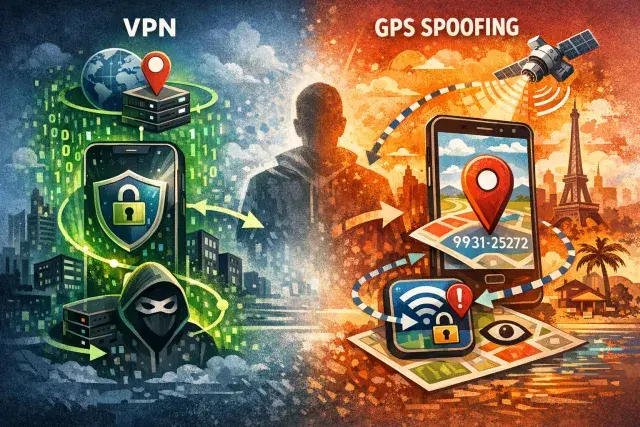

A VPN can hide your IP address and encrypt your traffic, but it does not automatically hide where your phone says you are. For Android users, that gap matters: many apps and services rely on GPS data as well as IP location, which means a VPN alone may fail to protect privacy or unlock region-restricted content.
That is why GPS spoofing has moved from a niche developer tool into a consumer feature offered by a small number of VPN providers. It changes the location your device reports to apps, giving users a second layer of location masking when IP-based protection is not enough.
Why a VPN and GPS spoofing do different jobs
A traditional VPN works at the network level. It sends your internet traffic through a remote server, making websites and services see the server’s IP address instead of your own. That can reduce tracking and shield your activity from local network snooping. But your phone’s GPS sensor is separate from your internet connection, and apps can ask the operating system for that location data directly.
That distinction explains why some services still detect where a user really is. Streaming platforms, travel apps, social apps and ad tech systems often combine signals, including IP address, GPS coordinates and other device data, to verify location. If those signals do not line up, the service may block access, restrict features or continue collecting precise location information.
How GPS spoofing works on Android
On smartphones, GPS spoofing usually does not mean tampering with satellite signals. It means overriding location data at the software level. Android allows approved apps, through developer settings, to act as a mock location source. A spoofing app feeds false coordinates to the operating system, and the operating system passes those coordinates to apps requesting location access.
That is why the feature is largely limited to Android. Apple does not give ordinary iPhone users comparable access to the controls required for local GPS override. On Android, a few VPNs, including Surfshark, PrivadoVPN and Windscribe, have built spoofing into their apps so the reported GPS location can align with the chosen VPN server.
Where GPS spoofing is useful — and where it can create problems
The clearest consumer case is privacy. Many apps request location access far beyond what their core function appears to require. Combined over time, that data can reveal routines, workplaces, homes and personal relationships. Restricting permissions remains the first line of defense, but GPS spoofing can reduce exposure when location access cannot easily be avoided.
It can also help when a service checks GPS data to enforce regional restrictions. Some TV and streaming platforms do exactly that, which is why changing only an IP address may not work. Developers and testers also use mock locations to check how location-based apps behave in different places without traveling.
But spoofing is not universally helpful. Ride-hailing, maps, delivery and emergency-related features often depend on accurate real-time location. Leaving spoofing on in those situations can break core functions or create confusion. It also does not make a user invisible. A VPN provider can still see some connection metadata, and apps can rely on other identifiers besides location.
Trust still matters more than the feature list
GPS spoofing adds capability, not certainty. A careless or opaque VPN provider can undermine the privacy benefits it advertises, especially if it logs user activity, overcollects data or gives little clarity about how its apps handle permissions. Choosing a provider with a strong privacy track record matters more than treating spoofing as a magic switch.
For most people, the practical lesson is simple: use a VPN for network privacy, use GPS spoofing only when there is a clear need, and keep app permissions tight. Location privacy is no longer about hiding a single signal. It is about understanding how many signals modern apps can combine — and closing the gaps one by one.