
The Walmart Onn 4K streaming box costs less than a movie ticket and, with a few configuration changes, can run software that its manufacturer never intended to allow. That combination - low cost, wide availability, and a relatively open Android-based operating system - has made Onn's line of TV devices a focal point for cord-cutters looking to move beyond the curated confines of the official app store. The process is straightforward, but it carries privacy and legal implications that deserve careful attention before any installation begins.
What "Jailbreaking" Actually Means on These Devices
The term jailbreaking is borrowed from mobile phone culture, where it traditionally refers to removing cryptographic restrictions embedded in firmware to enable unauthorized code execution. What happens on Onn TV hardware and other devices running the TV operating system built on Android is technically different - and meaningfully less severe. No firmware is modified. No security certificates are overwritten. Instead, the process involves two steps: enabling a hidden developer mode that the manufacturer includes in the software by design, and then allowing the installation of applications from sources outside the official store.
Developer mode on Android-based TV devices is unlocked by tapping a build number entry in the system settings a specific number of times - a convention inherited directly from standard Android and documented openly. Once enabled, a second setting permits "unknown sources," meaning application packages downloaded from the internet can be installed without going through official review. The Downloader application, available through the standard store, acts as a browser and file manager, allowing users to retrieve those packages by URL or numeric code. None of this involves circumventing encryption or exploiting security vulnerabilities in the conventional sense.
That distinction matters legally and practically. Enabling developer options and sideloading apps is a user-accessible feature that device makers have not disabled on these platforms. It is not equivalent to rooting a device or exploiting a software flaw. However, operating in this way does shift responsibility - for security, for content legality, and for data exposure - squarely onto the user.
The Real Risk Lies in What You Install
Applications distributed through official stores undergo a vetting process. That process is imperfect - malicious software has appeared in major app stores - but it provides a meaningful baseline of accountability. Developers must register identities, apps are scanned for known malware signatures, and policy violations can result in removal and account termination. Third-party application repositories and direct APK downloads offer none of these assurances.
When you install a streaming application from an unknown developer, you are granting that application permissions on your device without any independent audit of what it does with those permissions. A media-playing application that requests network access, storage access, and device identifier access has, in principle, the ability to transmit your viewing habits, device fingerprint, and IP address to any server its creator controls. Some applications in this space operate with complete legitimacy. Others have been documented bundling adware, cryptomining components, or data-harvesting code. There is no reliable way to distinguish between them without technical analysis most users cannot perform.
Content legality is a separate but related concern. Some freely available streaming applications access licensed content without authorization - operating in a legal gray area that varies significantly by jurisdiction. Using such applications may expose users to civil liability depending on local copyright law, though enforcement against individual consumers has been historically rare and inconsistent. The more immediate risk is not legal but technical: these applications frequently rely on third-party hosting infrastructure of unknown reliability and security posture.
Why a VPN Belongs in This Setup - and What It Cannot Do
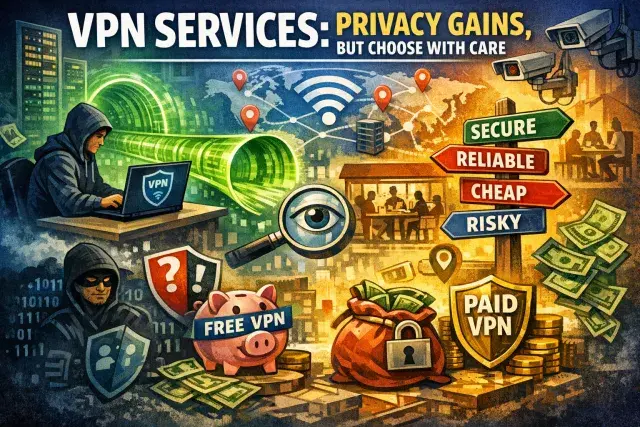
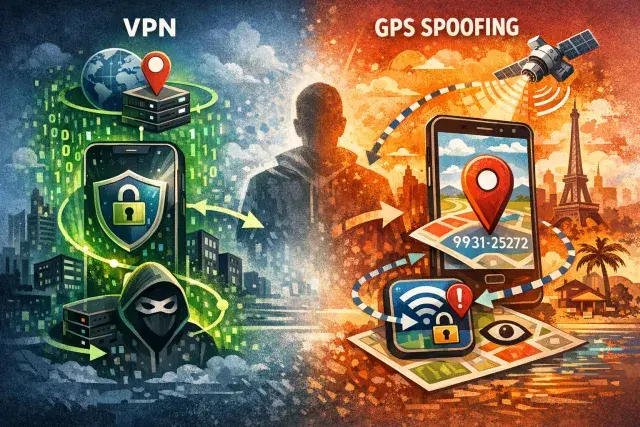
A Virtual Private Network creates an encrypted tunnel between your device and a server operated by the VPN provider, replacing your visible IP address with one associated with that server. For someone running sideloaded applications on a streaming device, this serves two purposes. First, it prevents your internet service provider from observing which services you are connecting to - a meaningful privacy benefit given that ISPs in many jurisdictions can collect and monetize browsing and connection data. Second, it masks your IP address from the operators of whatever applications or servers you connect to, reducing the precision of location-based data collection.
A VPN does not, however, sanitize the applications running on your device. If a sideloaded application is designed to collect data and transmit it to a remote server, a VPN will encrypt that transmission in transit but will not prevent it from occurring. The application still runs with whatever permissions you granted during installation. Privacy on a sideloaded-app device requires both network-level protection and careful judgment about which applications to trust in the first place.
The choice of VPN provider matters substantially. A provider that logs user activity and connection metadata offers meaningfully weaker privacy protection than one that operates under a verified no-logs policy - ideally confirmed through independent audit rather than self-attestation. Jurisdiction is also relevant: providers incorporated in countries with mandatory data retention laws or intelligence-sharing agreements may be legally compelled to disclose records that a provider in a more permissive jurisdiction would not retain at all. Free VPN services present a particular caution - their operational costs must be recovered somewhere, and user data is frequently the commodity that funds them.
The Broader Context: Open Platforms and Their Trade-offs
The relative openness of Android-based TV devices reflects a structural choice by the platform's architects to preserve developer accessibility even in consumer hardware. That openness has genuine value: it enables accessibility tools, educational applications, and legitimate software that would never pass through a commercial review process. It also means the same mechanisms that allow a researcher to test an application prototype allow an anonymous developer to distribute software with no accountability whatsoever.
Consumers moving away from subscription services and toward self-assembled streaming setups are making a rational economic calculation. But the infrastructure they are building is only as trustworthy as the least scrutinized application they choose to install. The practical guidance that follows from all of this is not to avoid sideloading entirely, but to approach it with the same skepticism one would apply to installing software from an unverified source on any other computing device: research applications before installing them, prefer those with established communities and transparent development histories, use a reputable VPN for network-level protection, and keep the number of unknown-source applications on the device to what you actually use. A device that runs five carefully chosen applications is materially safer than one running twenty because a tool made them easy to install.